Centrocalc
Automated 3D centromere quantification from confocal immunofluorescence z-stacks.
Overview
Centrocalc is a Python-based automated program that quantifies centromere intensities from confocal immunofluorescence images. It performs whole-chromosome segmentation, identifies centromeres via difference-of-Gaussians filtering, draws 3D ellipsoid ROIs, and computes per-cell intensities and background-corrected values, exporting both a CSV table and ImageJ ROI files for downstream inspection.
Centrocalc was developed alongside FREEDA and is described in the FREEDA paper (J. Cell Biol., 2023).
Links
- Source code: github.com/DDudka9/Centrocalc
- Author: R. Brian Akins · License: MIT
Set up
Python environment
Development was performed using Python 3.9. Required third-party packages
(numpy, scipy, scikit-image, roifile) are listed in
requirements.txt and can be installed via Anaconda. Download the latest Miniconda from
docs.conda.io.
To create the environment from the included YAML file, run:
conda env create --name centrocalc --file centrocalc.ymlOr create it manually:
conda create --name centrocalc numpy scipy scikit-image roifile python=3.9Activate it with:
conda activate centrocalcFile preparation
The program iterates through image files using a standardized, case-sensitive naming pattern where the only difference between files of the same condition is the cell number. For example, this works:
CENPO_GFP_s1.TIF
CENPO_GFP_s2.TIF
CENPO_GFP_s3.TIF
The following does not work — each line would be treated as a different condition:
CENPO_GFP_s1.TIF
CENPO_GFP_s2.tif     # Different case in extension
Cenpo_GFP_s3.TIF     # Different case in name
CENPO_GFP_cell4.TIF  # Different file name
All images for a run should live in the same folder.
Running quantifications
After activating the conda environment, navigate to the program directory and run:
python centrocalc.pyYou will be prompted three times:
- Path to directory containing mask and data images — relative or absolute path to the folder containing both the mask images and the images to quantify.
- Mask file pattern with an * in place of cell number — for the example above, enter
CENPO_GFP_s*.TIF. - Data file pattern — same syntax. May be the same as the mask pattern.
- Condition name — a label associated with these data (useful when compiling multiple runs).
Outputs:
- A
.csvfile with the quantified data. - A folder of
.zipfiles containing ImageJ ROIs — coordinates used for each centromere, viewable in ImageJ.
Operation overview
The program operates in six steps.
1. Segment centromere area
If a DAPI stain image is supplied, it is used to isolate centromeres from background. The DAPI image is greyscale-dilated at a width of 16 pixels to ensure centromeres are included, and a threshold is calculated using the ISODATA method — separating the image into two pixel groups where the threshold sits midway between the mean intensities of the groups. The lowest such threshold separates cell area from background. If no DAPI image is given, the entire cell is considered.
2. Isolate centromeres
Inspired by Vermolen et al., 2008. A difference-of-Gaussians algorithm isolates spots of a
known size: three 3D Gaussian convolutions are performed at widths CENTROMERE_RADIUS,
CENTROMERE_RADIUS·√2, and CENTROMERE_RADIUS·2. The output is the product of
the differences between these Gaussians, isolating spots of centromere size.
Note: the point-spread function of confocal microscopes is ~3× larger in Z than in X/Y, so the 3D Gaussian is scaled accordingly.
3. Find local maxima
A local-maxima algorithm identifies centromere centers. Up to MAX_NUM_MAXIMA spots are
chosen, separated by a minimum of MIN_CENTROMERE_DIST pixels by Chebyshev distance
(orthogonal and diagonal directions both treated as length 1). Each maximum must be at least
MAXIMA_STD_THRESHOLD standard deviations above the mean and at least
DIST_FROM_EDGE from the edges in X, Y, and Z independently.
4. Draw regions of interest
3D ellipsoid ROIs are drawn around each maximum at a chosen radius. Background ROIs are drawn as larger ellipsoids with the centromere ROI excluded. The rasterization function is from this Stack Overflow answer. Overlapping ROIs are resolved by distance — each pixel is assigned to its nearest maximum, with distances scaled non-Euclideanly to the radius of the ROI ellipsoid in each dimension.
5. Calculate centromere and background signals
Average grayscale pixel values are computed from the data image within each ROI.
6. Save to file
Data are saved to a .csv named with date, time-to-the-minute, and condition. Columns:
- Condition — the label provided when running the program; useful for compiling multiple runs.
- Cell — the cell number.
- Centromere Mean — average grayscale value in the centromere region.
- Centromere Pixels — number of pixels in the centromere region.
- Background Mean — average grayscale value in the background region.
- Background Pixels — number of pixels in the background region.
- Centromere-Background — Centromere Mean minus Background Mean.
- Normalized — Centromere-Background divided by Background.
In most cases, the most reliable values are in the Centromere-Background column.
ImageJ ROI files are also saved for cross-referencing the original images.
Tunable parameters
centromere_radius:       # nm; half-width at half-maximum of centromere signal. Default 150.
xscale:                  # nm/pixel; default 147 (63× objective on Leica 2).
yscale:                  # nm/pixel; default 147.
zscale:                  # nm/slice; default 500.
min_centromere_dist:     # voxels; Chebyshev distance separating centromere centers. Default 2.
max_num_maxima:          # max number of centromere centers, starting from most intense. Default 38.
maxima_std_threshold:    # SDs above mask image mean intensity to accept a centromere. Default 0.
                         # Including this enables a significant speed-up, so it is not optional.
roi_xradius:             # pixels; radius of centromere ellipsoid in X. Default 4.
roi_yradius:             # pixels; radius of centromere ellipsoid in Y. Default 4.
roi_zradius:             # slices; radius of centromere ellipsoid in Z. Default 3.
dist_from_edge_xy:       # pixels; minimum distance from edge of image for an ROI. Default 20.
dist_from_edge_z:        # slices; minimum distance from edge of image for an ROI. Default 2.
bg_xradius:              # pixels; radius of background ellipsoid in X. Default roi_xradius + 1.
bg_yradius:              # pixels; radius of background ellipsoid in Y. Default roi_yradius + 1.
bg_zradius:              # slices; radius of background ellipsoid in Z. Default roi_zradius + 1.
bg_std_threshold:        # SDs above quantified background to include data. Ignored if None. Default None.
Reference
Vermolen BJ, Garini Y, Young IT, Dirks RW, Raz V. (2008). Segmentation and analysis of the three-dimensional redistribution of nuclear components in human mesenchymal stem cells. Cytometry 73A: 816–824. doi:10.1002/cyto.a.20612.

Iacocca Hall, 111 Research Drive
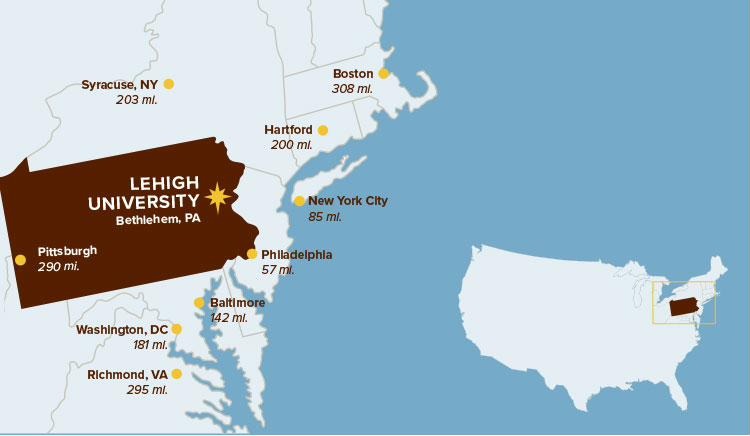
Bethlehem, PA 18015